A Two Sentence Prompt Can Clean Up Your Amazon Pages
A two sentence request produced a personal filter with toggles and a removal log, built for one computer, not for sharing.
 This Week in Startups · Odyssey CEO Oliver Cameron is 90% sure we live in a simulation | E2358
Jason Calacanis, a tech podcast host, was tired of hunting for the real product on Amazon beneath layers of sponsored listings. While talking about shopping, he typed a two sentence request into Claude, an AI assistant, asking for a Chrome extension that would strip out the clutter, then forgot about it.
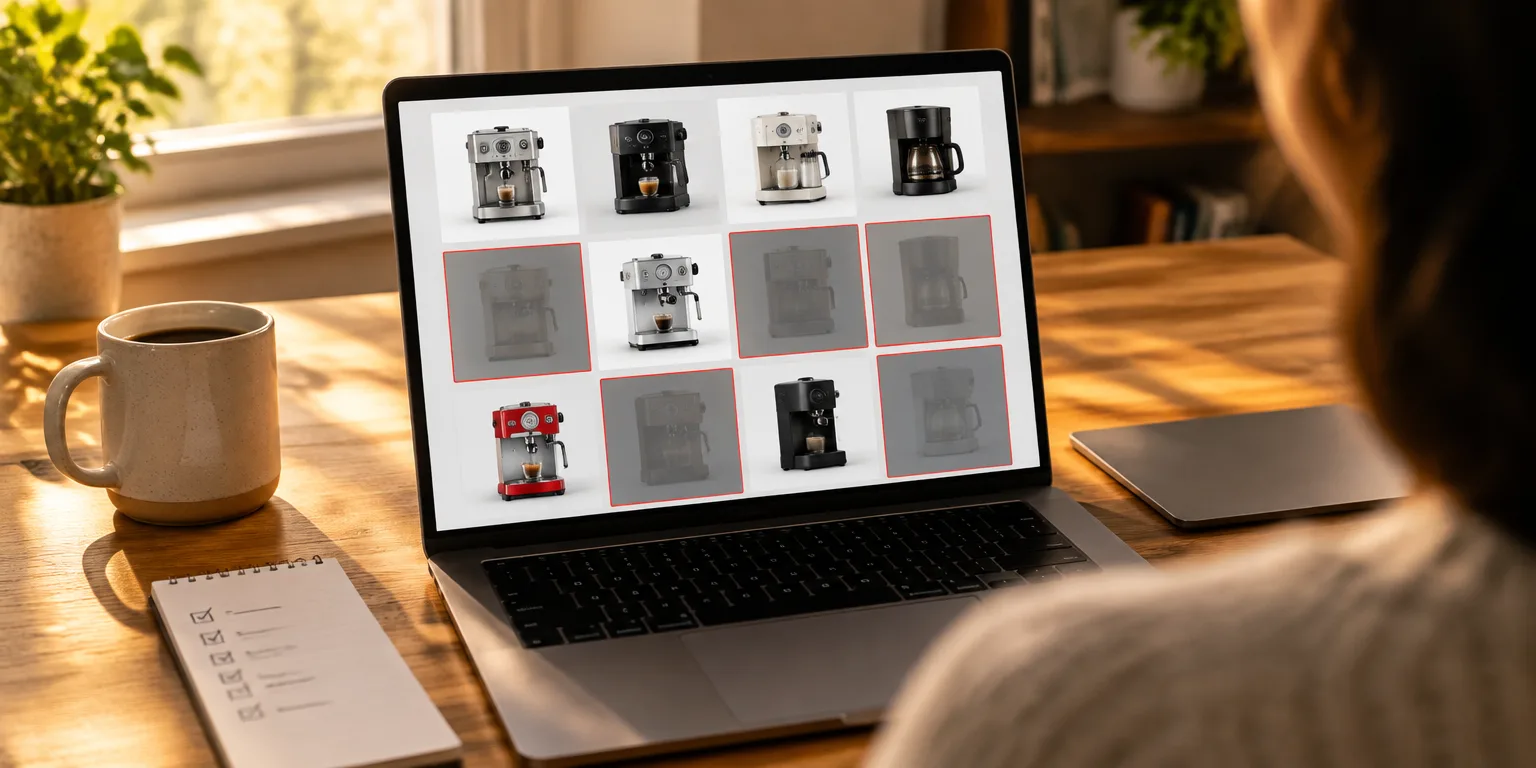
When he returned to his desk, Claude had built it. The tool offered five switches for different kinds of sponsored clutter.
He said he did not ask for the extras, but Claude added them anyway. Removed listings could be hidden, dimmed, or outlined in red, and the extension kept a running log of everything it removed.
His test was searching for best coffee machine. Instead of wading through sponsored coffee makers he did not want, he could hide them and see a cleaner list, a change he said might make him use Amazon more.
To try it, describe the annoyance in plain words and ask for a local, personal use Chrome extension. Name what to remove, ask for simple toggles, and ask it to show what it hides so you can check its work.
Calacanis draws one clear line. He said he would never publish or share the extension, because interfering with a site's revenue for others is different from changing how a page looks on your own computer.
His co-host Lon Harris said the larger shift is mental. People who never built software must retrain themselves to notice small frictions and ask an AI assistant to fix them.
Questions people ask
How do I install an extension an AI builds for me?
In Chrome, open the extensions page, turn on Developer mode, then choose Load unpacked and select the folder the AI gave you. Keep that folder in a safe place, because Chrome reads the files from there each time it runs. If you delete or move the folder, the extension will stop working.
Is it against Amazon's rules to hide sponsored listings?
Calacanis treats personal viewing changes as different from distributing a tool, and he says he would not publish or share his extension. That caution matters because Amazon's rules restrict tools that interfere with ads and site functions, and sharing raises the risk. Keep any experiment local and personal, and check the current terms if you are unsure.
What should the prompt actually say?
Say what site, what to hide, and what you want to control. A workable start is: Build me a local-only Chrome extension for personal use that hides sponsored products, banners, carousels, display ads, and promos on Amazon, with a toggle for each and a count of hidden items. Then test it on a real search and ask for fixes in plain words.