Link your Apple Notes together into a private wiki
An Add Link tool lets one note open another, so a pile of notes starts to work like a map.
 PCMAG · Write This Down: 25 Things You Didn't Realize Apple's Notes App Could Do
Many Apple Notes collections end up as a long, scrolling pile. You remember writing something down, but you cannot remember which note it was in.
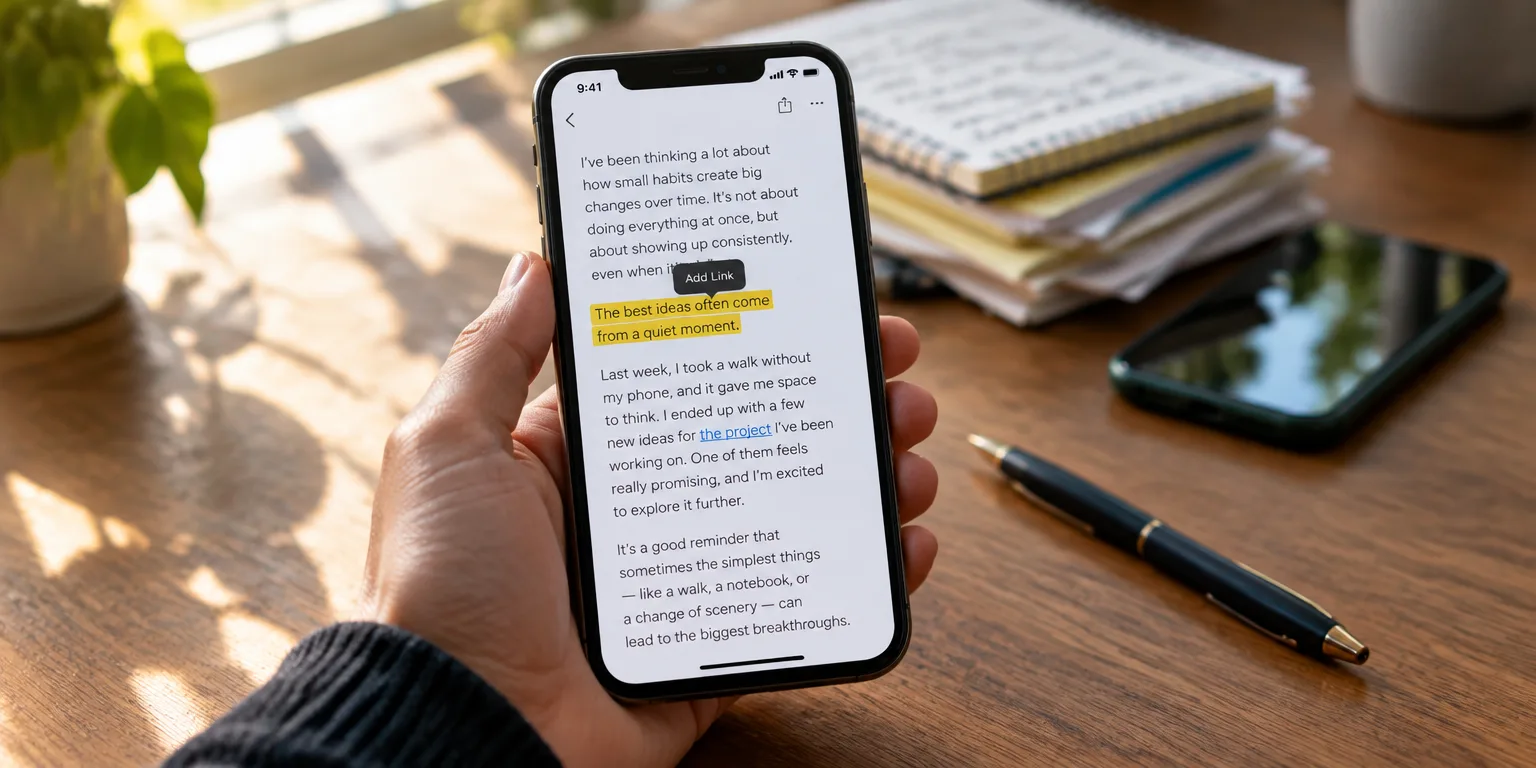
The option is in the menu that appears when you highlight text. With iOS 17 or iPadOS 17 and higher, you can add links inside a note. Those links can point outward to a website, or inward to a different note. Connect a few notes together, and the pile starts to behave like your own private wiki, where one idea leads to the next.
Start with the note that will hold the link. Open it, then highlight the word or phrase you want to turn into the doorway. If you do not have specific text in mind, press and hold on a blank spot in the note. From the menu that appears, select Add Link.
Under Link To, add the address of the web page or the name of the other note, then tap Done. The link appears in the note, and tapping it jumps straight to that destination.
The habit that makes it work is to build a hub. Keep one note as the map, with links out to the related notes around it, so you can find related notes without remembering exact titles.
To try it this week, open one messy, important note and highlight three terms that deserve their own notes.
Questions people ask
Can I link to a web page as well as to another note?
Yes. When you choose Add Link, you can enter either a web address or the name of another note. Either choice becomes a tappable link inside the note you started from.
What software do I need for this to work?
You need iOS 17 or iPadOS 17 or higher to create these links. The steps described here cover adding links on the iPhone and iPad.