Sharpen a Soft Phone Photo Without Ruining the Sky
A landscape photographer zooms in, sharpens by eye, then uses a black-and-white mask preview to protect the sky.
 On a Third Photography · Editing an iPhone Photo in Lightroom Mobile | Weekly Edit #16
The photographer knew his wide shot would need a little help at the end. He had made the picture on the iPhone ultra-wide, which he calls a little soft and not the best of the three cameras on the Pro model.
Near the end of his edit in Lightroom Mobile, after adding a slight vignette, he turns to sharpening. He zooms in close, then raises the sharpening until the detail looks right to his eye.
He keeps the sharpening off the smooth parts. In the sharpening controls, he adjusts masking, which limits the effect to edges and texture rather than every pixel.
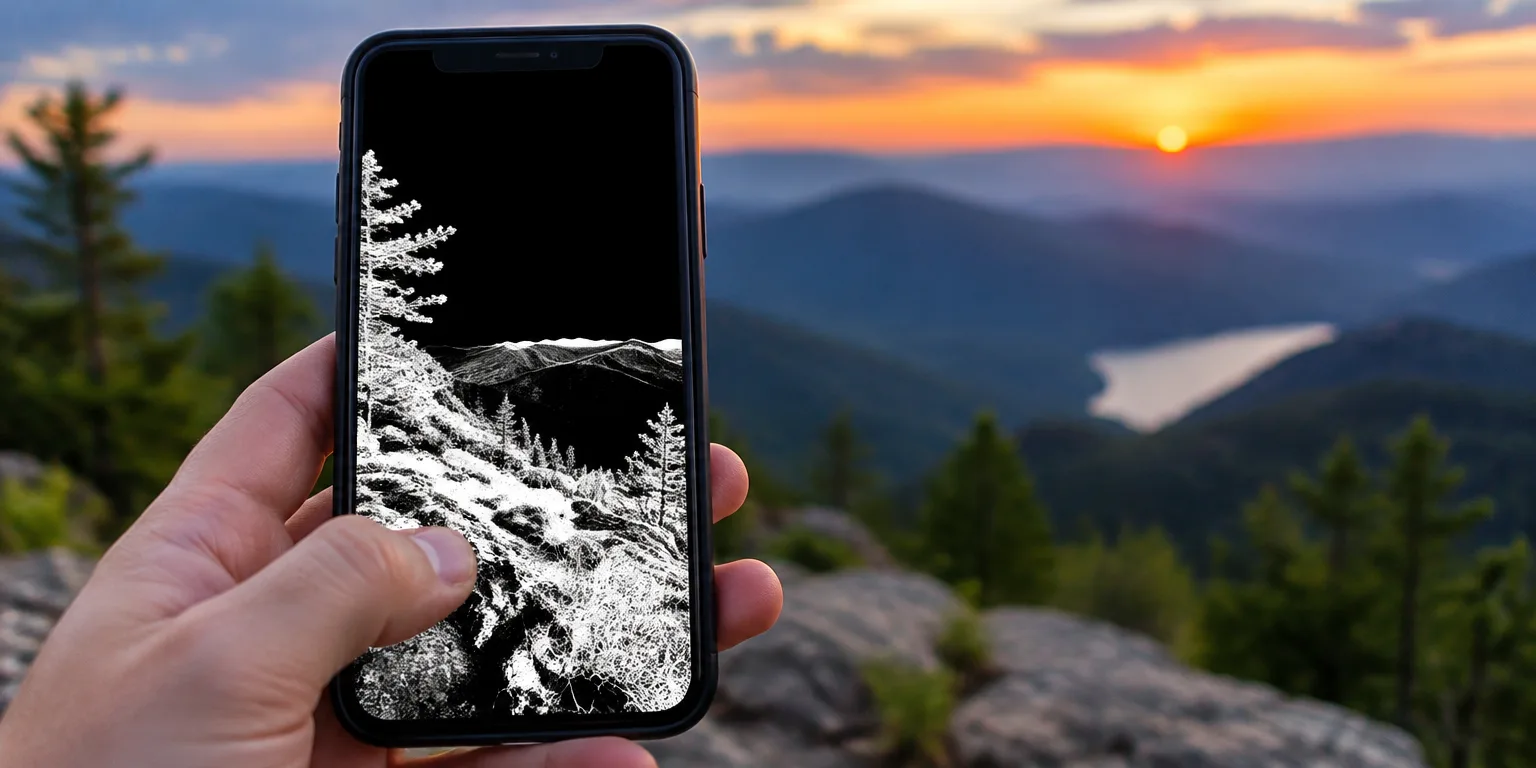
To see where it is working, he previews the mask. With one thumb touching the photo, he presses and holds the masking control with another finger until Lightroom shows a black-and-white overlay.
Black means no sharpening and white means sharpening. He says he does not want to sharpen areas such as the sky, so he adjusts masking until the sky turns black while the detailed parts stay white.
He treats it as a quick finish that gives the image a bit more punch. The work takes only a few minutes, and he checks the result with a before-and-after view.
Questions people ask
Where is the masking slider in Lightroom Mobile?
In Lightroom Mobile, open the photo, go to Detail, and you will see Sharpening, Radius, Detail, and Masking. Sharpness controls strength, while masking controls where it applies. Raise masking so flat areas are excluded.
How much masking should I use?
Watch the black-and-white preview, not the number. Increase masking until large smooth areas such as sky turn solid black, while edges and texture stay white. If detail starts to look soft again, you have gone too far.
Why is sharpening the sky a problem?
Smooth areas show little detail, so sharpening there mostly emphasizes noise and tiny compression artifacts. That can turn a clean sky blotchy or grainy. Keeping the mask black in the sky avoids that problem.