Draw Two Lines to Straighten a Leaning Building
In Lightroom Mobile, the Guided tool under Geometry lets you tell the photo what should be vertical.
 On a Third Photography · Editing an iPhone Photo in Lightroom Mobile | Weekly Edit #16
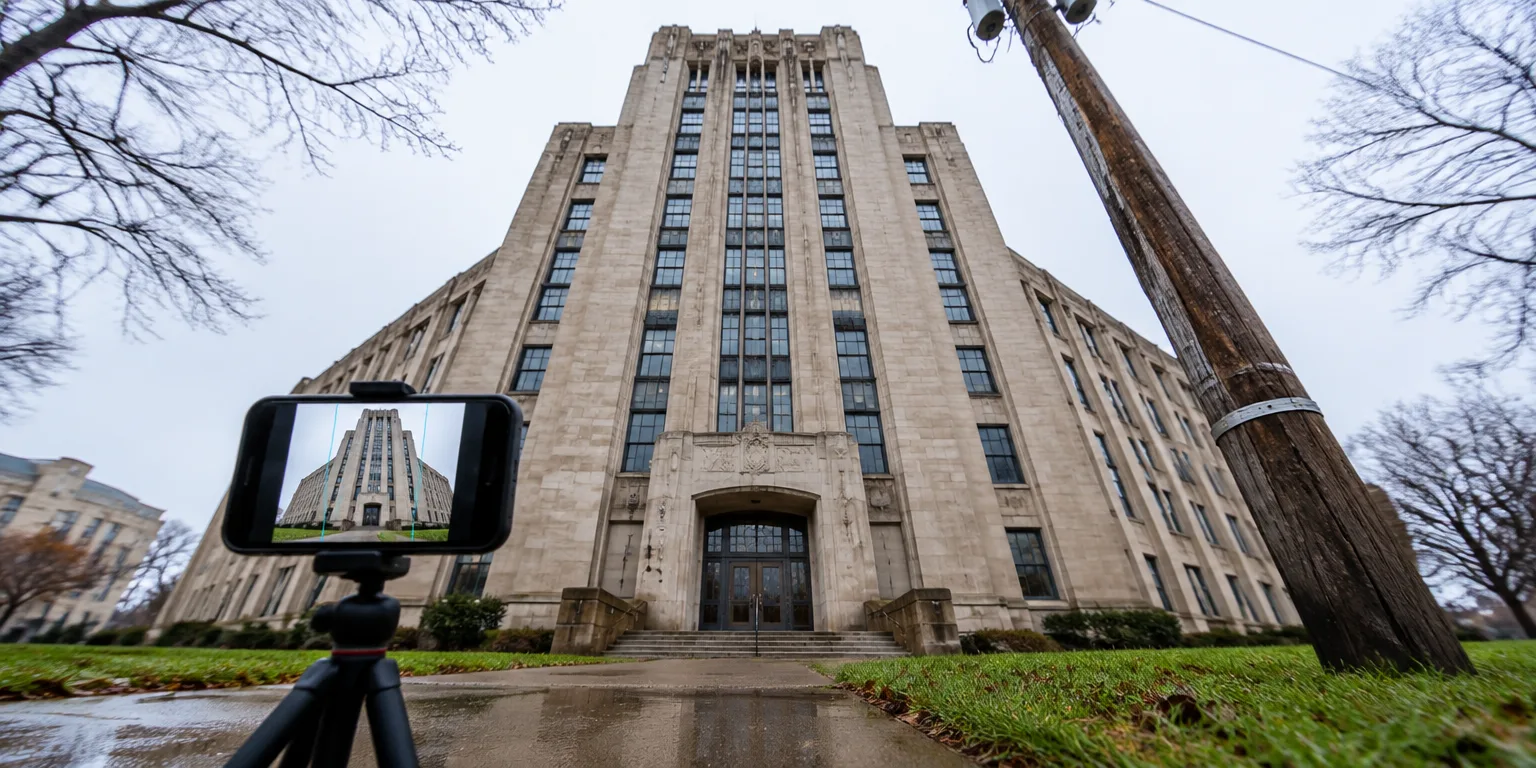
A photographer shooting from low ground and aiming upward at an institute building had a familiar ultra-wide problem.
His iPhone photo leaned back slightly, with the building's sides leaning inward toward the top and distortion so visible that a telegraph pole near his tripod tipped inward.
His fix was done entirely on the phone in Lightroom Mobile, starting with the unglamorous cleanup.
In the Optics panel, he removed chromatic aberration, the colored fringes that can appear along high contrast edges, and enabled lens corrections.
Then he opened the Crop tool, tapped Geometry, and chose Guided instead of wrestling with sliders.
Guided lets you tell the app what should be upright. Zoomed in, he drew one line down each side of the building and tapped Done.
To check the work, he pressed and held on the image to flip between before and after. The building stood straighter.
His first try still looked a little crooked, so he went back into Geometry, deleted one guide, and drew another on the same side of the building.
Moving the guides on a phone screen is fiddly, and the second try looked a little better.
If your own building leans, start with Optics before you draw anything.
Questions people ask
Will straightening a photo crop it?
Yes, usually a little. When the app rotates and stretches pixels to make verticals parallel, it leaves uneven edges, so it crops in to fill the frame. Shoot slightly wider than you need if you plan to correct.
Why turn on lens corrections before drawing the guides?
Lens corrections fix the predictable bending caused by that particular lens, especially at the edges of an ultra-wide shot. Doing that first means your guide lines correct the tilt from your shooting angle, not the lens itself, so you need less correction.
What if my photo has no clear building edge?
Use anything else you know was vertical or horizontal, such as a lamppost, door frame, fence post, or horizon line. Place two guides on separate upright objects, zoom in for accuracy, and check the before-and-after view.